Inventory Management Software
Track products, stock quantities, warehouses, purchases, sales, transfers and adjustments in Grocom, with stock valuation and reporting in the same workspace.
Start One Month Free Trial Explore Workspace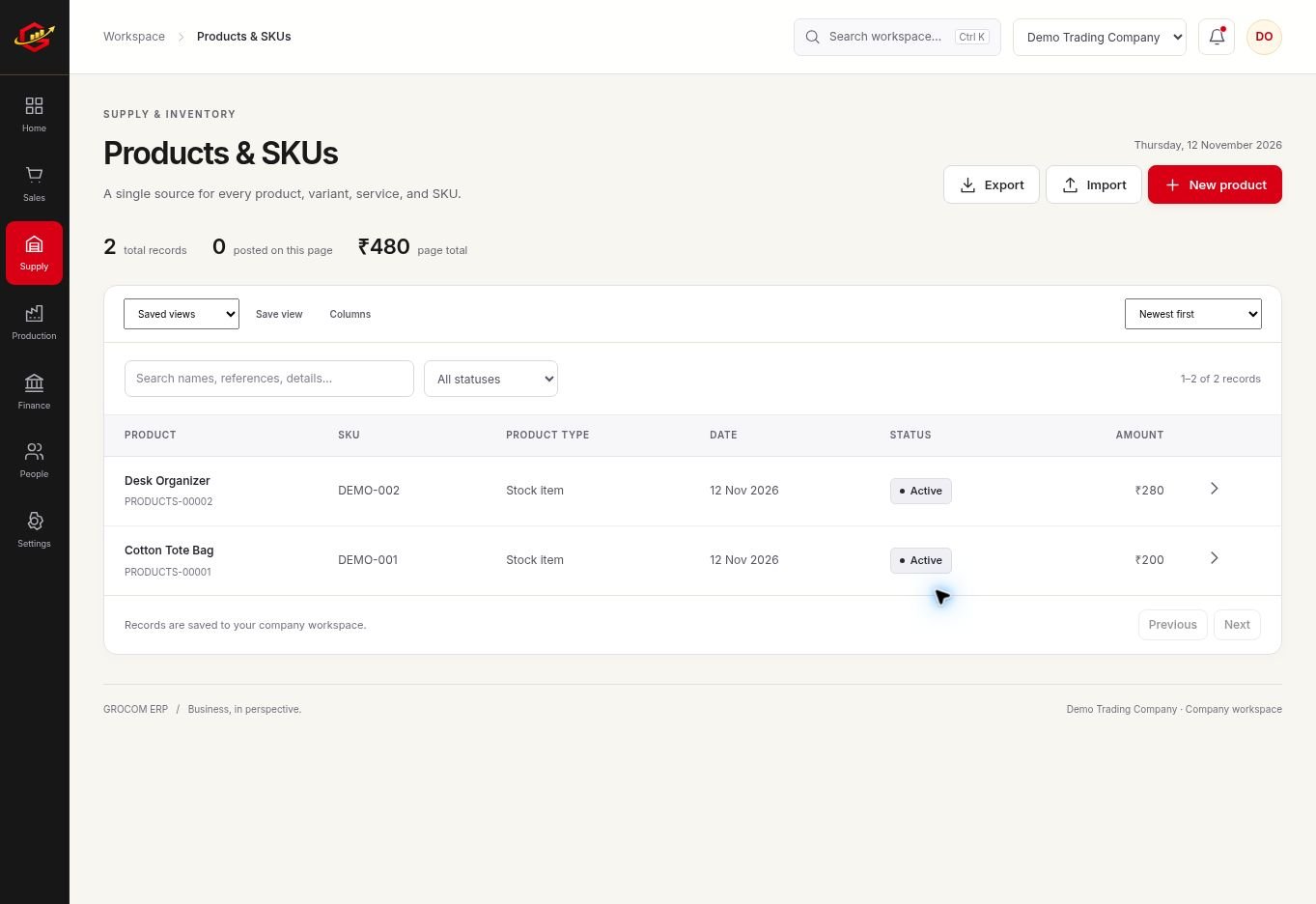
Know What You Hold And Where
Create consistent product records and warehouse locations before entering transactions. Use one SKU for each distinct item. Separating stock by warehouse helps you distinguish available goods from goods held at another location.
Explain Every Quantity Change
Purchases, posted sales, returns, transfers and adjustments have different meanings. Record the event that actually occurred. A stock adjustment should explain a count difference; it should not hide an unrecorded supplier delivery or a missing sales invoice.
Look Beyond Quantity
Quantity tells you what you hold, while valuation helps you understand the money held in stock. Grocom uses weighted-average costing for supported stock workflows. Review purchasing costs and stock movements before interpreting a product margin.
A Practical Workflow
- Create products with consistent SKUs, units and reorder levels.
- Set up warehouses and review opening quantities.
- Record purchases, sales, returns and inter-warehouse transfers.
- Compare a physical count with the stock report and document any adjustment.
If warehouse A holds 80 units and you transfer 20 to warehouse B, the business still holds 80 units: 60 in A and 20 in B. A transfer changes location; it should not be recorded as new purchasing or sales revenue.
What To Check Before You Start
Physical stock counts still matter. Grocom records the transactions entered by your team; it cannot detect unrecorded stock movement or a physical loss on its own.
Explore the workspace previews, review the current plans and activation terms, or contact Grocom support to discuss a requirement. The product FAQs explain imports, access and current integration limits.
Your Questions, Answered
Can I Track Multiple Warehouses?
Yes. Define warehouse records and use warehouse transfers to record movement between locations.
How Is Stock Cost Calculated?
Supported stock workflows use weighted-average costing. Check source purchases, opening stock and any additional costs when reviewing valuation.
Can I Import Products From Excel?
Supported records can be imported using Grocom templates. Each file is limited to 5 MB and 2,000 rows, with validation before confirmation.